Security Cameras in Co-Living: What We Use and Why
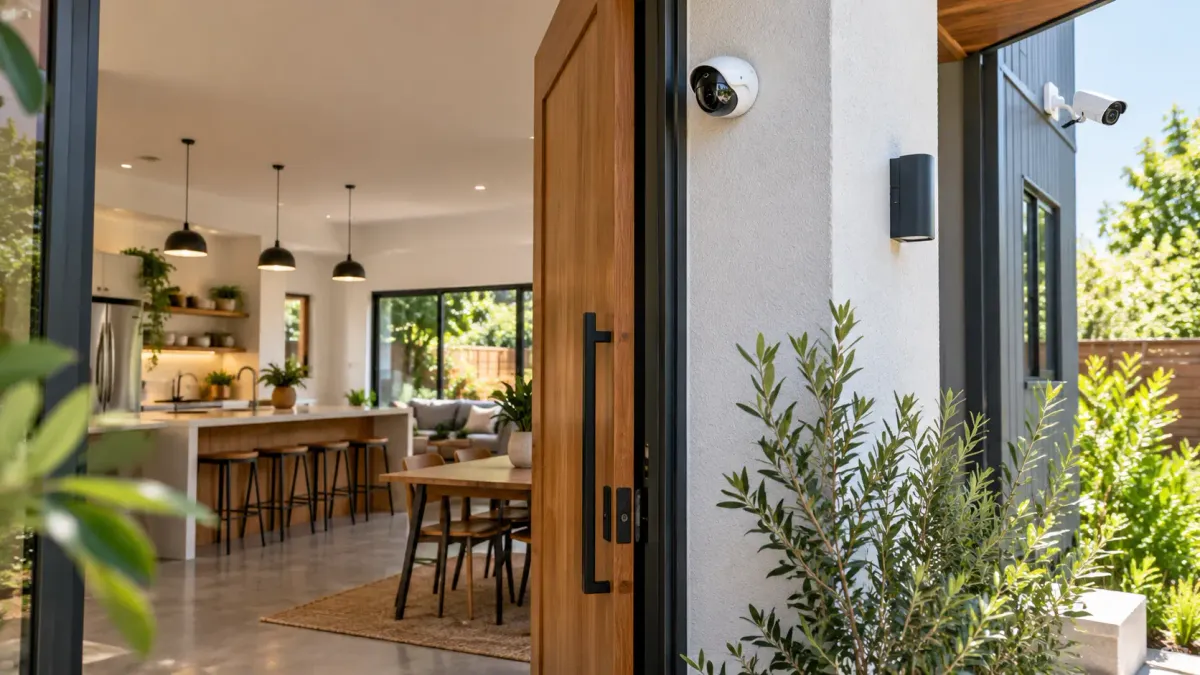
After trying several camera systems across our co-living properties, we eventually standardized on Wyze. Not because the system is perfect, but because it gives us a practical balance of cost, simplicity and functionality when we need to manage cameras across multiple houses.
Cameras in co-living are different
In a traditional rental, one household may live in the property for years. Co-living has much more movement: unrelated members share common areas, people move in and out, cleaners and maintenance vendors visit, packages arrive, guests may appear and trash or damage issues can affect everyone.
When something happens, the first operational question is usually simple: What actually happened?
For us, cameras are not about sitting and watching people. Nobody has time for that. They are a record the operations team can consult when a specific problem needs to be understood. That record becomes more useful as the portfolio grows and fewer decisions can depend on one person’s memory.
Our basic Wyze camera setup
We try to keep the setup consistent from house to house. The exact number of devices depends on the layout, power, Wi-Fi, local rules and the owner’s approval, but the roles stay familiar.
Our usual standard: battery-powered outdoor cameras paired with compatible solar panels outside, plus indoor Wi-Fi cameras in permitted and clearly disclosed shared common areas. A floodlight camera can be a useful upgrade at a main entrance, but we treat it as a nice-to-have rather than a requirement.
Wyze battery-powered outdoor camera
Our usual exterior starting point for entrances, access points and practical perimeter coverage.
View outdoor camera on AmazonWyze-compatible solar panel
The usual companion to compatible battery outdoor cameras, reducing charging visits and downtime.
View solar panel on AmazonWyze indoor Wi-Fi camera
Our usual indoor approach for entry, kitchen or hallway coverage where permitted and disclosed.
View indoor Wi-Fi camera on AmazonWyze floodlight-style entrance camera
A nice-to-have powered option when extra entrance lighting and visibility justify the installation.
View floodlight camera on AmazonWhy solar matters: a battery camera is useful only while it has power. Across multiple houses, repeated charging becomes another site visit and another task that can be missed. Wyze says its Battery Cam Pro is wire-free, does not require a separate hub and supports solar charging. See the official Battery Cam Pro specifications before confirming compatibility.
Inside the house, our standard is an indoor Wi-Fi camera in a permitted, clearly disclosed shared area. A pan-style model such as the Wyze Cam Pan v4 can be useful where one camera needs to cover more of a room. Wyze lists 4K resolution, 360-degree horizontal pan, 180-degree vertical coverage and dual-band 2.4/5 GHz Wi-Fi. Review the official Wyze Cam Pan v4 technical specifications. The Amazon indoor link above is a current Wyze listing and may not always point to that exact model, so verify the product page before buying.
A practical placement map
The goal is not to turn the property into a surveillance fortress. The goal is to cover real access points and shared operational areas without capturing private spaces.
Example co-living camera coverage
Conceptual layout only. Every real property requires an on-site privacy, legal, Wi-Fi and field-of-view review.
Never record
Disclosed camera
Never record
Never record
Disclosed camera
At minimum, we want a clear view of the main entrance. Where practical, we add exterior coverage around the main sides, driveway, rear entrance and other access points people actually use. Four exterior corner cameras can be a useful planning baseline for some houses, but the right answer depends on blind spots and neighboring properties.
Inside the house: privacy has to lead
Interior cameras require much more care. We only consider clearly disclosed shared common areas such as an entry hall or kitchen. We do not hide cameras, put them in bedrooms or bathrooms, or point exterior cameras through bedroom or bathroom windows.
Potentially appropriate
- Main entrance and porch
- Driveway and exterior doors
- Clearly disclosed shared hallway
- Clearly disclosed kitchen or common room
Never appropriate
- Bedrooms and bathrooms
- Any private changing area
- A view through bedroom or bathroom windows
- Hidden or undisclosed recording devices
PadSplit’s published guidance says host recording devices may be installed in disclosed shared common areas and exterior areas, while bedrooms, bathrooms and other areas with a reasonable expectation of privacy are prohibited. Review the current PadSplit camera policy before installation because platform rules can change.
Why we standardized on one system
Early on, it is easy to buy whatever camera happens to be on sale. One house gets Brand A, another gets Brand B and a third gets a recommendation from a contractor. Soon the team has five apps, several subscriptions, different passwords and different ways to retrieve an event.
That friction is manageable for one owner. It becomes operational debt when a property manager or support team needs to respond quickly. Our preference is to standardize as much as possible:
- One primary camera ecosystem
- Consistent placement rules
- Documented disclosure language
- Named owners for device access
- A repeatable review process
- A clear offboarding checklist
Wyze allows an account owner to share individual devices and later remove access. Its own guidance also says devices should be shared only with people you know and trust. Review Wyze’s current sharing controls and test the permissions on the exact camera model you deploy.
That caveat matters: Wyze is a consumer-oriented ecosystem, not a full enterprise security platform with sophisticated portfolio-wide role-based permissions. Shared users may have meaningful capabilities. We give access only to people who genuinely need it, audit access regularly and remove it immediately during offboarding.
Why Wyze works for us
We tested different camera systems over the years. Some cost more, some had different features and some worked fine at one property but did not make sense across many homes. We kept returning to Wyze because it checks the boxes that matter to our day-to-day operations:
- Pricing is practical when a house may need several cameras.
- Indoor and outdoor options live in the same ecosystem.
- The app is straightforward enough for an operations team.
- Battery-powered exterior options and solar support reduce installation friction.
- Video quality is sufficient for the operational questions we need to answer.
- Device sharing and removal support team access when used carefully.
We are not saying every co-living operator should use the same brand. There are many good camera systems. The more important decision is to choose a system your team can install, maintain, secure and support consistently across the portfolio.
Cameras do not replace property management
A camera does not solve a resident problem. It does not remove trash, complete a repair, enforce house rules or communicate with members. What it can do is reduce the “he said, she said” uncertainty that sends residents, managers, cleaners, contractors and owners through long message threads.
The workflow still needs a person or system to classify the issue, decide whether footage should be reviewed, protect access to that footage, communicate appropriately and close the loop. That is why cameras belong inside an operating system alongside smart locks, backup access, house rules, maintenance workflows and resident communication. See our recommended access and operations stack and our guide to what co-living teams should and should not automate.
One small operational tip: name every camera properly
Do not use Camera 1, Camera 2 and Camera 3. Six months later, nobody will remember which device covers which view. Use a stable property identifier and location:
1578 - Front Door1578 - Kitchen1578 - Front Left1578 - Front Right1578 - Rear Left1578 - Rear Right
This tiny standard makes event review, troubleshooting, onboarding and offboarding dramatically easier once the portfolio contains dozens of devices.
Frequently asked questions
Where should cameras be placed in a co-living house?
Start with the main entrance and practical exterior access points. Inside, limit cameras to clearly disclosed shared common areas where permitted, such as an entry hall or kitchen. Never place cameras in bedrooms, bathrooms or any area where a resident has a reasonable expectation of privacy.
Can a co-living operator put cameras in common areas?
Policies and laws vary. PadSplit says disclosed recording devices may be used in shared common and exterior areas, while private areas are prohibited. Operators must also follow applicable federal, state and local laws, lease terms and platform requirements.
Why did we standardize on Wyze cameras?
For our operations, Wyze offers a practical balance of cost, indoor and outdoor options, app simplicity, solar support and shareable access. It is a consumer-oriented system, so we use careful access controls and do not treat it like an enterprise security platform.
Do security cameras replace property management?
No. Cameras do not solve maintenance, cleanliness or resident communication issues. Their value is reducing uncertainty when the team needs to verify what happened and choose the right follow-up.
Should audio recording be enabled?
Do not enable audio by default simply because a device supports it. Audio recording can trigger additional consent and legal requirements. Get jurisdiction-specific legal guidance and document the decision in your camera policy.
How should cameras be named across multiple properties?
Use a consistent pattern such as property identifier plus location: 1578 - Front Door, 1578 - Kitchen or 1578 - Rear Left. Clear naming makes review, onboarding and access removal much easier as the portfolio grows.
The bottom line
We would not tell every co-living operator to buy exactly the same cameras we use. We would recommend creating a camera strategy before the portfolio becomes difficult to standardize.
- Decide where cameras may be placed.
- Document where cameras are prohibited.
- Disclose devices clearly to residents.
- Standardize hardware where practical.
- Use a consistent naming convention.
- Control, audit and remove team access.
- Define when footage may be reviewed.
- Train the team on escalation and follow-up.
For our properties, Wyze has been a practical combination of price, coverage and simplicity. We are not married to the brand; if a better option appears, we will test it. But after trying several setups, this is what works for us today.
Primary references: PadSplit camera policy · Wyze Battery Cam Pro · Wyze Cam Pan v4 specifications · Wyze sharing controls
Last reviewed: September 2026. Product features, Amazon listings, laws and platform policies can change.